

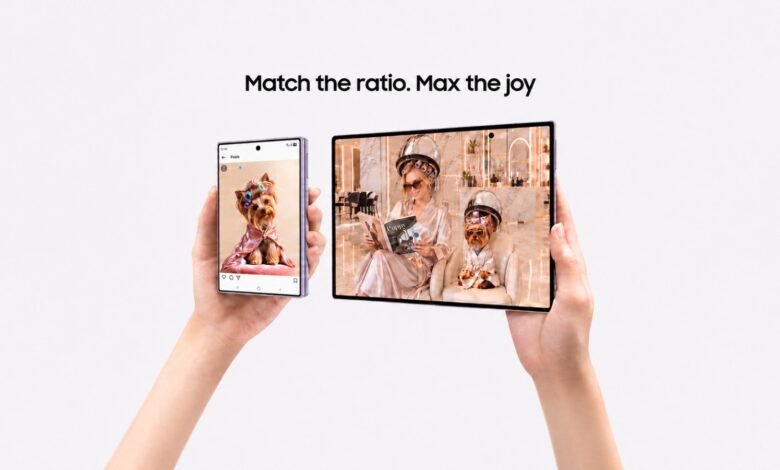
Shaped by years of foldable experience, One UI 9 turns Galaxy Z Fold8’s expansive main screen into an everyday advantage
The real promise of a foldable lies in what happens once it opens, and delivering on it takes more than a larger screen. Apps need to fill the space properly, multitasking has to feel natural, and everything should carry on smoothly between the folded and unfolded states. Samsung has been building on all three from the very start, and on Galaxy Z Fold8, One UI 9 brings them together.
Apps built for the bigger screen
Samsung’s work on foldable apps began before its first Galaxy Fold reached a single shopper, as the company opened test labs and remote testing tools to developers alongside Google. Eight generations on, that groundwork shows across Galaxy Z Fold8.
Native Samsung apps lead the way, with everyday essentials from Calendar to My Files offering layouts designed for the main screen rather than a stretched phone view.
Popular third-party apps have followed suit, with hundreds optimized for Samsung foldables since 2019. Microsoft Outlook, for example, places the inbox alongside an open email, while YouTube has been upgraded for the bigger canvas. A full-screen option for supported apps also keeps black bars out of the picture.
Multitasking that feels natural
Samsung has been a pioneer of smartphone multitasking since 2012, when it brought multi-window viewing to Galaxy Note II. On Galaxy Z Fold8, up to three apps can run side by side[1], the Taskbar keeps favorite and recent apps within reach, and App Pairs open go-to combinations together. It all feels natural on a phone, bringing productivity once reserved for a computer to a device that still fits in a pocket.
One experience across both screens
Moving between two screens should feel seamless. With App Continuity, unfolding the phone expands a video or map from the cover screen onto the main screen right where it was, and folding it again lets supported apps continue on the cover screen.
Galaxy AI extends that continuity with Now Nudge, which suggests next steps during conversations in messaging apps, such as adding an event to the calendar[2]. Unfolding the phone and tapping the prompt opens the calendar beside the chat, turning a quick exchange into a settled plan.
Making the most of the form factor
The fold also opens up new ways to capture moments. Dual Recording lets users film both sides of a scene while previewing themselves on the cover screen, and Dual Screen shows the person being photographed a live preview before the shot is taken.
This is what mature foldable software looks like in everyday use. On Galaxy Z Fold8, it already knows its way around the fold.
Galaxy Z Fold8 is available now, and shoppers can try One UI 9 for themselves in stores across the region. It comes in Cream, Lavender, and Graphite, with 256GB, 512GB, and 1TB storage options, and can be purchased at Samsung.com, Samsung Experience Stores, and authorized retailers.
[1] Split view supported apps may vary.
[2] Now Nudge feature requires a Samsung Account login. Available functions and features may vary by country, region and language. Text message prompts available with Samsung Messages and certain third-party messaging apps including Google Messages, Google Chat. Accuracy of results is not guaranteed.